
Event Schema is a special code that helps search engines knows event details on a webpage. It uses Schema.org language, so platforms like Google, Bing, and Yahoo are show events clearly in search results.
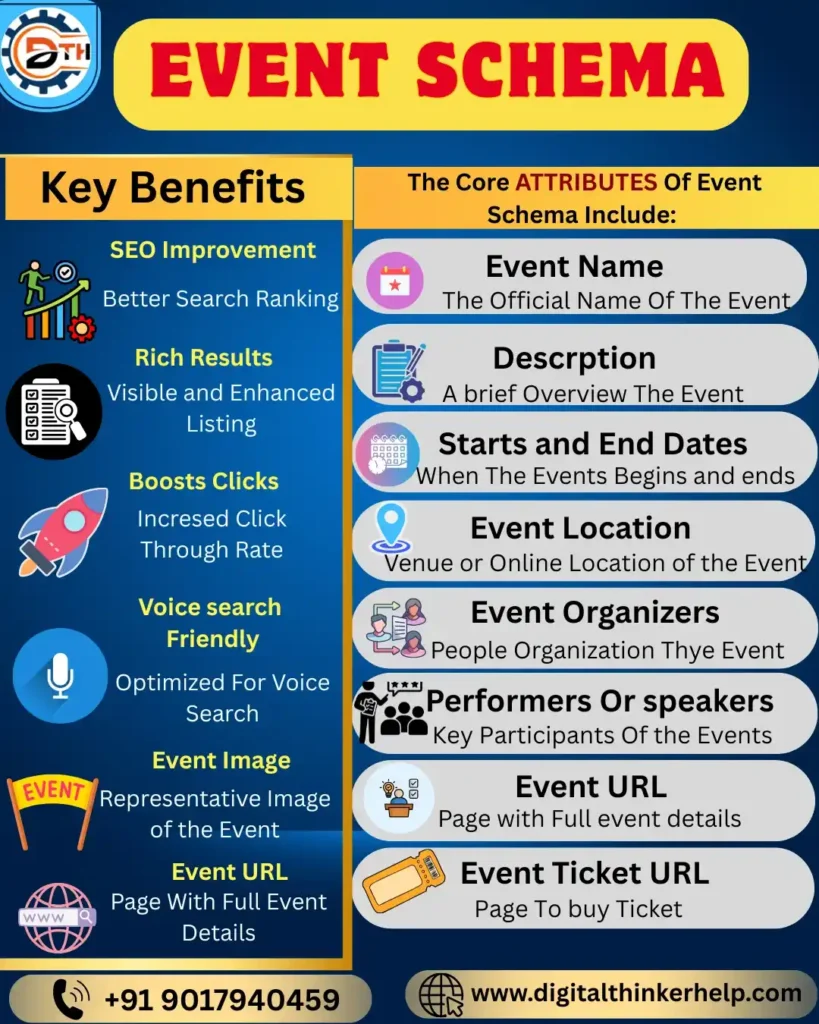
When you add Event Schema to your event pages, then it helps search engines clearly knows event details. Organize them properly, and show your events exactly in search results.
SEO Benefits of Using Event Schema Markup
In today’s digital world, being visible in search results is very important. Event Schema Markup helps your events stand out and also improves SEO. This guides to more users for your website.
1. Rich Results
When you use Event Schema Markup, your events are show as rich results. These show extra details like date, place, and tickets directly on the search page. Its creation with ease for users to notice and click.
Also Read: What is Review Schema in SEO? Examples & How to Add It
Benefits of Rich Results
Attractiveness: Rich results look better with organized layout and images. So, they stand out in search results.
Immediate Info: Users see important details like date or place without clicking.
Credibility: Showing clear info allowing your website look safe and good.
2. Click-through Rate (CTR) Increase
Better visibility and clear info in rich results help to boost clicks on your website. When users see important details right in search results, they are more likely to visit. Studies show rich results increase click-through rates. Starting more traffic and helping improve your website’s ranking over time.
3. Traffic Boost
When CTR goes up, website traffic also rises. If users find your listing attractive and informative, they visit your site more. This leads to higher event attendance or registrations and provides visitors a chance to explore other pages.
4. Voice Search Optimization
Here we are example; voice assistants like Alexa, Google Home, and Siri are very popular. Event Schema Markup helps here, as these devices use structured data to give accurate answers. Adding Event Schema make sure your events easily found and correctly shared by voice search.
Your events are easy to find through voice searches.
Your event can directly answer users’ voice queries.
Voice devices show accurate and complete info about your event.
Components of Event Schema: Demystifying the Structure
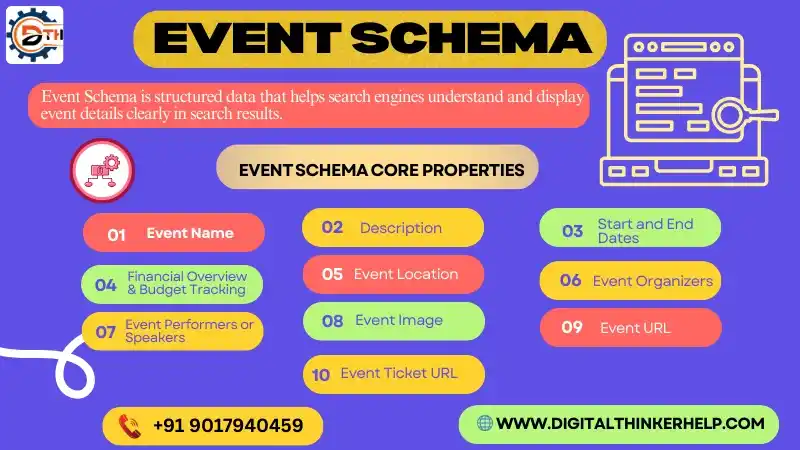
Event Schema has properties that explain the main details of an event.
Also Read: What is Product Schema? Examples & Types | How to Add
These help search engines to get know and show your event correctly.
The core properties of Event Schema include:
Event Name: In the official name to finding your event in search results. Make sure exact finding the search result.
Description: A short brief of what the event is around. We explore in description about events.
Start & End Dates: Your event starts and ends, as you make sure define the exact date.
Event Location: The platforms of the event. Make sure user alive the event venue.
Organizers: Who is organizing the event? It is important rule of the event organizational responsible for the event control.
Performers/Speakers: A Key people or groups at the event. It is important attraction to the event.
Event Image: A picture representing the event. If you make visualize the capture in the Event.
Event URL: A Page with full event details.
Event Ticket URL: The web page where users can purchase tickets for the event, smoothing attendance and increase the ticket sales
How to Add Event Schema in Word Press?
The easy way to add Event Schema in Word Press is using All in One SEO (AIOSEO). Its plug-in that help many schema types like better search engine results.
1. Step: You are Installing and activate the AIOSEO plug-in on your site.
2. Step: After activation, the setup wizard will start is automatically.
3. Step: Click the “Let’s get started” button to proceed.
Once ready, you are create in Event Schema on your Word Press pages and posts.
Adding Event Schema in Word Press Page or Post
The after setting up the AIOSEO plug-in, and open the post or page. If you know want to add Event Schema.
Also Read: What is Article Schema Markup in SEO? A Complete Guide
Step 4: An Each event must have its own page with a unique URL, following Google’s rules.
Step 5: You have the Scroll down in Word Press to find ‘AIOSEO Settings’ at the bottom.
Step 6: Click the ‘Schema’ tab to see the available schemas, like Article Schema.
Event Schema Example
Here we are simple example, practical event schema example commonly used in event-driven systems
1. Generic Event Schema (JSON)
{
“event_id”: “uuid”,
“event_type”: “string”,
“event_version”: “1.0”,
“occurred_at”: “2026-01-14T12:34:56Z”,
“source”: “service-name”,
“actor”: {
“id”: “string”,
“type”: “user | system”
},
“data”: {
“resource_id”: “string”,
“attributes”: {}
},
“metadata”: {
“correlation_id”: “string”,
“trace_id”: “string”
}
}
2. Concrete Example: user. Created Event
{
“event_id”: “3f2e1c3a-9a2b-4d2f-9d1c-8a8b3a1e9b21”,
“event_type”: “user.created”,
“event_version”: “1.0”,
“occurred_at”: “2026-01-14T12:34:56Z”,
“source”: “auth-service”,
“actor”: {
“id”: “system”,
“type”: “system”
},
“data”: {
“user_id”: “u_12345”,
“email”: “user@example.com”,
“signup_method”: “google”
},
“metadata”: {
“correlation_id”: “req_789”,
“trace_id”: “trace_456”
}
}
3. JSON Schema (Validation Example)
{
“$schema”: “https://json-schema.org/draft/2020-12/schema”,
“type”: “object”,
“required”: [“event_id”, “event_type”, “occurred_at”, “source”, “data”],
“properties”: {
“event_id”: { “type”: “string”, “format”: “uuid” },
“event_type”: { “type”: “string” },
“event_version”: { “type”: “string” },
“occurred_at”: { “type”: “string”, “format”: “date-time” },
“source”: { “type”: “string” },
“actor”: {
“type”: “object”,
“properties”: {
“id”: { “type”: “string” },
“type”: { “type”: “string” }
}
},
“data”: { “type”: “object” },
“metadata”: { “type”: “object” }
}
}
Best Practices for Event Schema Implementation
1. Consistency in Markup Across Pages
Keeping your Event Schema consistent across pages is important. It helps search engines understand your events easily. You know make fixing errors simple, and creates a clear pattern for all your event data.
This is very helpful if you have many events with separate pages. Using the same markup like all pages ensures. Your event information stays reliable and predictable in search results.
2. Providing Unique and Engaging Descriptions
Your event’s search appeal depends on a good description. Write a unique, engaging story that shows the excitement. It is Important the highlights of your event to attract users.
Use clear, vivid details instead of generic words, and naturally add relevant keywords. This improves your Event Schema, and encourages users to click and get more about your event.
3. Testing and Validating Schema Markup
Once setting up your Event Schema; it is important to test it to make sure search engines are read it correctly. Use tools like Google’s Rich Results Test or Schema confirm to find and fix any errors.
Daily testing, mostly after updates, save your markup error free. It allows helping search engines show your events. They are better and increasing visibility and user engagement.
Final Remarks
At the final, understanding and using Event Schema Markup are really boosting your event’s online clarity. Once done properly, it helps your events stand out in search results and clearly shows users. What they are expect, attracting more attention and interest.
Also Read: What is FAQ Schema for SEO? Benefits, Examples, & Implementation
Though adding Event Schema needs careful attention, the results are worth it. Better search visibility and higher user interest build the effort valuable. Whether you add code manually or use a tool. It’s saving the content accurate, clear, and consistent is very important.
Keep testing and updating your event details regularly. This helps your events show up better online and truly reflect their energy and spirit. It is Making them more attractive and engaging for users.