
As you know, if our website has different pages for services. Such as home cleaning, repairs and replacements, interior design, plumbing, or others. It’s using Service Schema is very helpful. It clearly tells Google what service each page is offering to users.
After adding Service Schema, search engines are easily understand your business details, service type, pricing, and contact information. This builds your website content more organized and meaningful for search engines.

Because of this, Google may show your services. With rich snippets or special search features. It helps your website stand out from competitors. It is allows potential customers to find and contact you easily.
What is Service Schema Markup?
Service schema markup is a simple code that tells search engines about your business services. When you add it to your website. Google can easily understand your pages. This helps your services appear clearly in search results. They make it easier for customers to find the right information.
Also Read: What is Event Schema? Example & How to Add (Full Guide)
Service schema markup helps customers find your business easily. It can also show rich results in search engines. They look more attractive and catch attention. These rich results increase clicks on your website. Using service schema is a simple and smart way to stand out. The competitors and attract new customers online.
Why Service Schema Markup Matters for SEO?
Search engines want to show correct and useful results to users. Here are to be you use service schema markup. They are give clear information about your services. This helps search engines know your content better and show it properly in search results.
Key SEO Benefits
Better Search Look
Service schema helps show extra details. Here are few examples Such as services, price, ratings, and business info in Google results.
More Clicks
Rich snippets look attractive, so people click more than normal results.
Easy for Google to Understand
Schema clearly explains your services and page connection.
Voice Search Friendly
It helps your website show in voice search results.
Stay Ahead of Competitors
Here are many businesses do not use schema. Its providing you a strong SEO advantage.
Key Properties of Service Schema Markup
Here are the most important properties used in a Service schema:

| Property | Purpose |
| Type | Specifies the schema type as “Service” |
| Name | Name of the service |
| Description | What the service offers |
| Provider | Organization or person offering the service |
| Area served | Geographic coverage |
| Available channel | How the service is delivered (online, onsite, phone) |
| Offers | Pricing, availability, and terms |
| Aggregate rating | Average rating and review count |
Using these fields correctly increases the chance of enhanced SERP features.
How to Add Service Schema Markup?
Step 1: Let we discuss the first step, Go to your Word Press Dashboard. Click on Settings > Schema Pro. Then select Add new to create a new schema markup.
Also Read: What is Review Schema in SEO? Examples & How to Add It
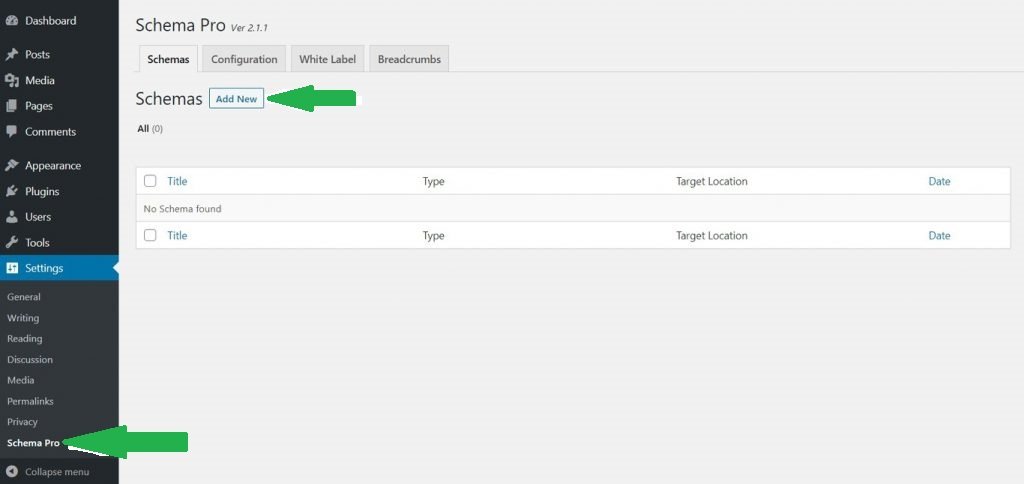
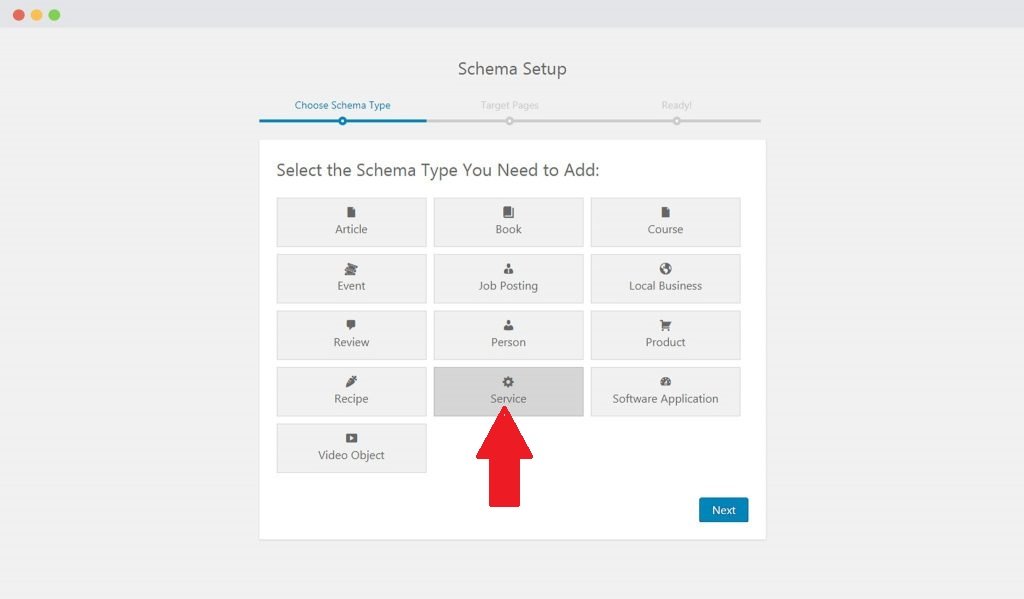
Step 2: Choose the schema type as Service from the list.
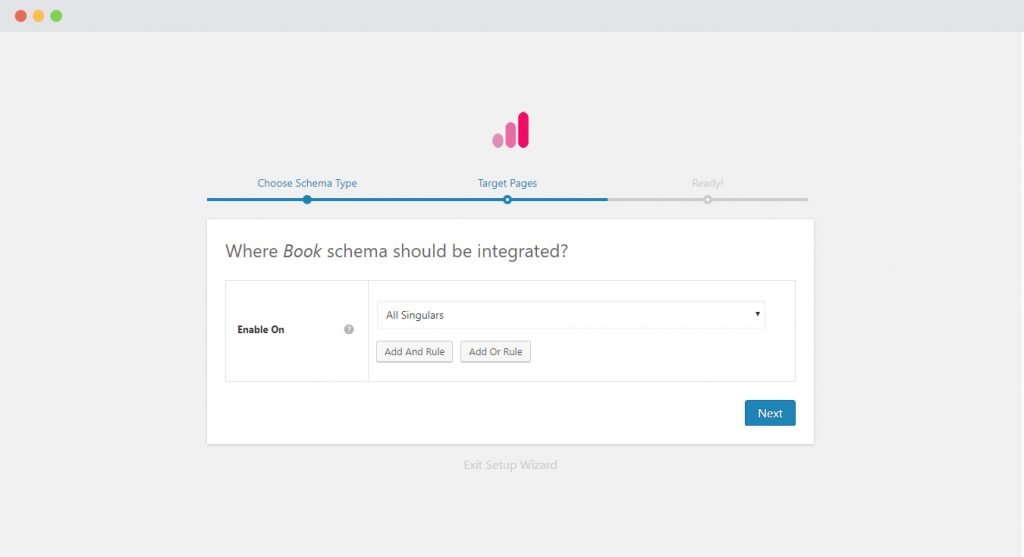
Step 3: Now select where you want to apply this schema. You are choose specific pages or posts, or set display rules. It is also exclude pages where you do not want the schema to appear.
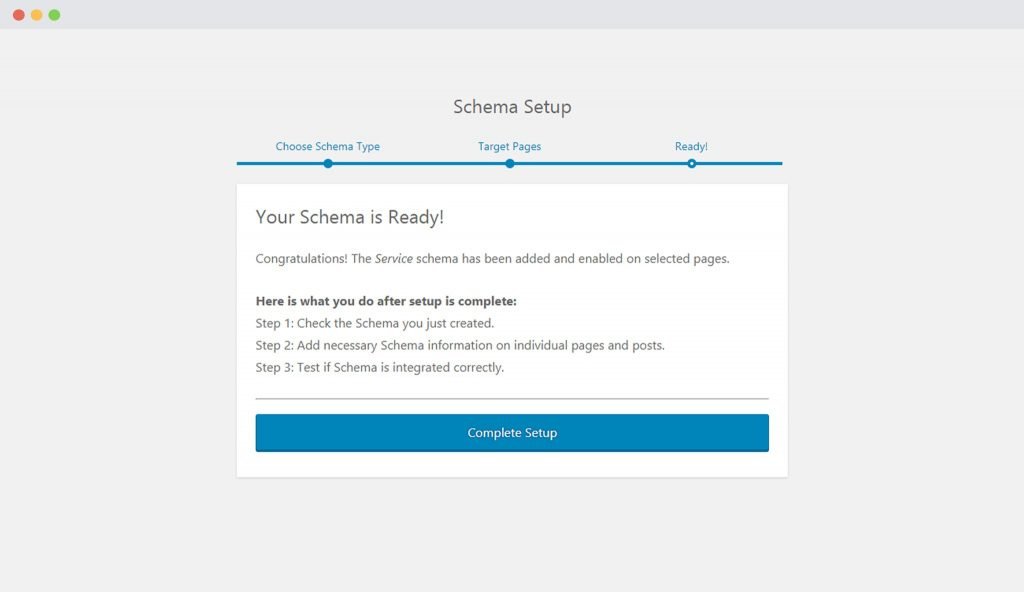
Step 4: After selecting the pages, complete the basic setup. That will then be taken to the schema settings page.
Step 5: Here you will see different fields related to service schema. Such as service name, description, provider details, and pricing. Fill all details carefully and use correct information.
Make sure every field has the right value. Proper setup helps Google understand your services better.
Service Schema Type Setup & Available Options
1. Headline
Write a clear headline that includes your service name. Such as Home Cleaning Service or Car Wash Service. You can also use variables if the service name is already in your page title.
Also Read: What is Product Schema? Examples & Types | How to Add

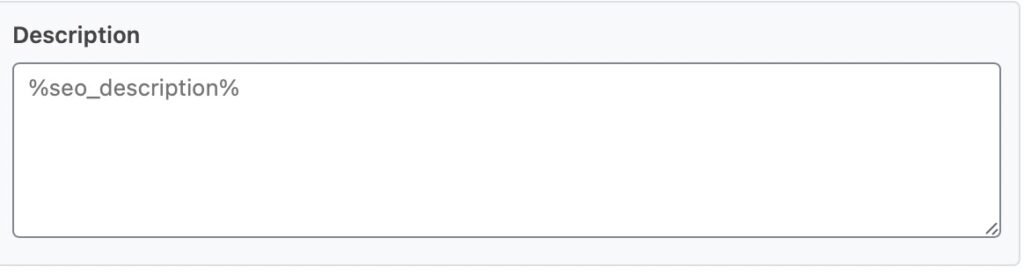
2. Description
Add a short and simple description of your service. You may use variables to automatically pull content from your page or post.
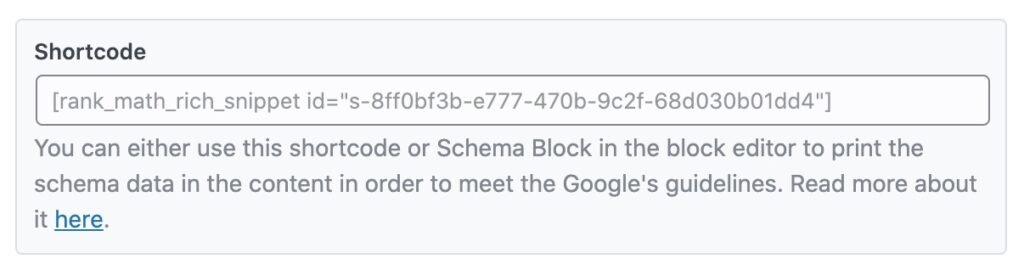
3. Shortcode
Let talk about the Copy is provided shortcode and pastes it into your page content. This will show your service schema details on the front end of your website.
4. Service Type
Here we are explaining the Mention the exact type of service you provide. Such as plumbing, car washing, home décor, AC repair, etc.

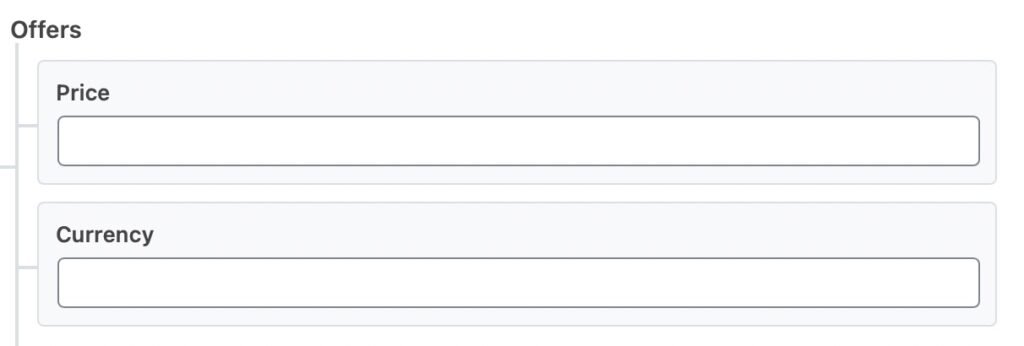
5. Offers
Let we discuss the offer: Enter the service price in the Price field. Here we explain the correct currency in the Currency field. You can use the ISO 4217 currency code, such as INR like India.
Also Read: What is Article Schema Markup in SEO? A Complete Guide
After fill all details, click Save. Then update or publish the page to apply the Service Schema successfully.
Example of Service Schema
<script type=”application/ld+json”>
{
“@context”: “https://schema.org”,
“@type”: “LocalBusiness”,
“name”: “SEO North”,
“image”: “https://seonorth.ca/logo.png”,
“@id”: “https://seonorth.example.com”,
“url”: “https://seonorth.ca”,
“telephone”: “3437774012”,
“priceRange”: “$$$$”,
“address”: {
“@type”: “PostalAddress”,
“streetAddress”: “2566 Dow St”,
“addressLocality”: “Ottawa”,
“addressRegion”: “ON”,
“postalCode”: “K0A2P0”,
“addressCountry”: “CA”
},
“geo”: {
“@type”: “GeoCoordinates”,
“latitude”: 45.2390909,
“longitude”: -75.4770554
},
“openingHoursSpecification”: {
“@type”: “OpeningHoursSpecification”,
“dayOfWeek”: [
“Monday”,
“Tuesday”,
“Wednesday”,
“Thursday”,
“Friday”
],
“opens”: “09:00”,
“closes”: “17:00”
},
“sameAs”: [
“https://facebook.com/seonorth”,
“https://twitter.com/seonorth”,
“https://instagram.com/seonorth”,
“https://youtube.com/seonorth”,
“https://linkedin.com/seonorth”,
“https://pinterest.com/seonorth”,
“https://soundcloud.com/seonorth”,
“https://tumblr.com/seonorth”,
“https://wikipedia.org/seonorth”,
“https://github.com/seonorth”
]
}
</script>
Schema Markup for Local Services
Google does not have a separate service schema. But it supports Local Business schema. You can use the provider property to show your business or company details. Such as better visibility in Google search.
Use the areaServed property to mention where your services are available. Such as your city or area. You can link it with a Wikidata location to help Google understand the exact place.
To learn more, check our complete Local Business Schema Markup guide. Here are we explains step by step how to properly mark up your business for better search results.
Common Mistakes to Avoid
Even though service schema is very useful. They are many people make small mistakes while adding it.
Using the wrong schema type are confuse search engines.
Adding services in schema that are not shown on the page is a common error.
Many losses to fill need fields properly.
Fake reviews or wrong pricing are reduce trust.
Not checking schema with validation tools is another mistake.
Avoiding these errors helps your schema improve SEO and build better trust with Google.
Conclusion
Service Schema is a helpful tool like your business. It creates customers happier, increases bookings, and lowers cancellations. It is simple to use and does not need any special coding skills.
Also Read: What is FAQ Schema for SEO? Benefits, Examples, & Implementation
You just need to know basic HTML tags. This guide explained step by step how to add service schema to your website. You are also using it as a reference when adding other types of schema.