
Google uses a lot of things to decide how to show search results. One of the things that help Google is the links inside your website. These internal linking for SEO show Google what is important on your website and how everything is connected. They also help Google find pages on your website.
People do not always look at websites in a line but the links inside your website can help guide them to other parts of your website. The links can also help Google find its way, around your website.
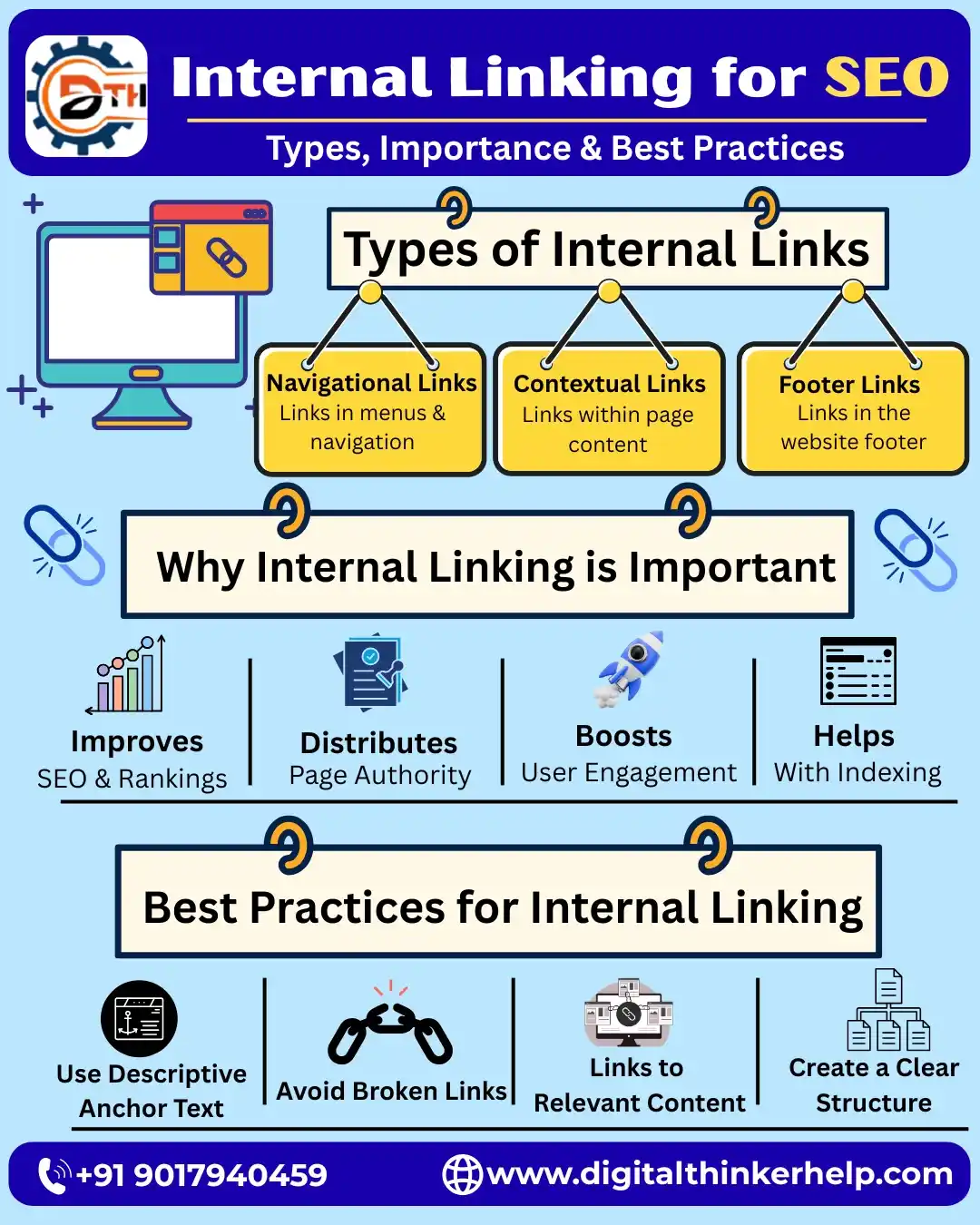
In this guide you will learn about links and how they can help with Google search results.
What Is Internal Linking?
Internal linking is when you link one page on a website to another page on the website. This is really important for how your website’s set up and for Search Engine Optimization.
Internal links are different from links that take you to websites. These links keep you on the website.
Also Read: Google Core Update March 2026: Rollout, Affects & Recover
For example, you are reading a blog post. You click on a link that takes you to another article on the same website that is an internal link.
This helps the search engine people find out how your website is set up and find things on your website.
Are Internal Links Good for SEO?
Internal links are really important for SEO. They work very well for getting better search rankings. Internal links help search engines figure out the website structure. They also help users find the information they need.
This means users do not leave the website away which is good. Internal links also share the power of the website across all the pages. This is sometimes called link equity or the ranking power of the website.
Why Are Internal Links Important for SEO?
It is really important because they help Google find all the pages on your website by internal links. They also help people who want to visit your site to find what they are looking for.
Internal links can do more if you use them in a smart way. They can help pages on your site get more attention. If you plan your links carefully, they can take the good stuff from high-quality links and pass it to other pages on your site.
Also Read: What is International SEO? Strategy & Best Practice | How to Optimize
In short: internal links are the key for any site owner who wants their website to show up higher in Google search results. Internal links are really crucial, for people who own websites and want to do in Google.
Types of Internal Linking in SEO
The main types of Internal links include:
Navigation Links
Navigation links are the links you see on every page of a website. They are part of the menu. Since they are always their navigation links are very important for your website structure. Navigation links are the common type of link on a website.

Contextual Links
You can also call these links in-text links. They are inside the content of a webpage. Contextual links have words that describe what they are about. They help people find information or related pages.Contextual links are useful for users.

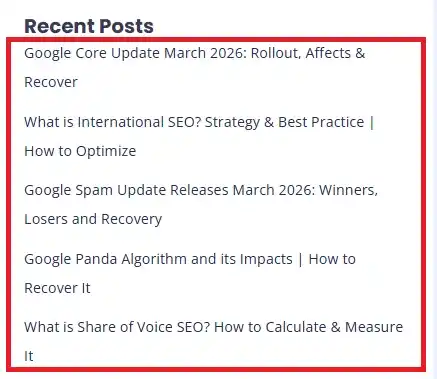
Sidebar Links
We use sidebars to link to things that are related. You can find sidebars on the right or left side of a webpage.Sidebar links are in the sidebar columns. They can be, about products or blog posts.
Footer Links
Footers are on every web page like the menu but at the bottom. They have links to pages so users know where to go when they scroll down.They also include links toabout me pages, contact info, privacy policy, FAQs and location pages.
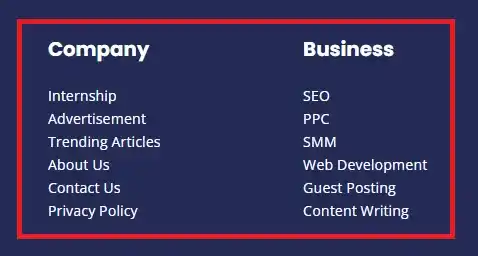
Image links – When you make an image a link to another page, on your website it’s a link. Google looks at these too.
Call-to-action links – These are buttons or phrases that tell users what to do like sign up buy something or read more. They help users take steps on your website.

Internal Links vs External Links
The difference between links and internal links is that they take you to different places.
Also Read: Google Spam Update Releases March 2026: Winners, Losers and Recovery
Internal links take you to another page on your website. They help people who visit your website and search engines find their way around your website.
External links are different because they take you to a page on someone Website.These external links can give you information or tell you where the information came from.
Internal links and external links do things but they both help people who use your website.
Best Practices for Effective Internal Linking
Not all links on a website are helpful. The links that are not relevant can confuse the people who read your website and Google. You can use some tips to make your links better.
Create Quality content: First you need to make sure you have good content on your website. This is because you need something to link to. The better the content on your website is, the more people and Google will think that your website is valuable and useful.
Use Descriptive Anchor Text: Do not use words like click because they do not help people understand what they will find on the other page. Google and the people who read your website will like your website more if you use anchor text, for your links.
Link to Relevant Pages: If you link to pages that are not relevant it can be confusing for people who visit your website and it can also hurt your search engine rankings.
Distribute Link Juice: Think about which pages you want people to find when they search for something and link to those pages.
Maintain a Logical Structure: It is an idea to organize the links on your website in a way that makes sense. Use a system with links, to similar topics, groups and subgroups.
Update Old Content: You should also go back. Update your old pages. Add links to pages that are related to the old pages. This helps keep your website looking new and helps share links to all your pages.
With the help of this practice Google look at your old pages again and makes them look fresh.
Common Mistakes to Avoid
Keyword-Stuffing Anchor Text –It seems like a smart SEO trick using the keyword over and over in your links but it actually hurts your rankings. Google thinks it’s spammy. It doesn’t feel natural for readers. You should mix things up with phrases that fit smoothly into your content. Try using keywords in your links.
Broken Links – Broken links not frustrate visitors but also hurt your SEO. You should check for links regularly and update or fix them. Tools, like Google Search Console or SE Ranking can help you spot links easily. Make it a habit to fix links to improve your website.
Also Read: Google Panda Algorithm and its Impacts | How to Recover It
Linking to Unrelated Pages – When you are making a website you should link to pages that are related to what you are talking about. If you are writing about tips for Search Engine Optimization do not link to a page about recipes for smoothies. This is because it does not make sense and it is not helpful to people who are reading your website.
Ignoring Orphan Pages – This means that Search Engine Optimization and visitors to your website can not find these pages. You should always make sure that every page on your website has least one link to it so that people can find it and it is connected to the rest of your website. Search Engine Optimization is important, for your website. You should use it to help people find your pages.
FAQs (Frequently Asked Questions)
Summing Up
In short, it is not an easy task doing internal Linking for SEO; it’s a powerful tool that makes your websites foundation stronger.It helps search engines find pages shares SEO power across your site. Helps users stay longer.
Also Read: What is Share of Voice SEO? How to Calculate & Measure It
By doing things like using clear words for links linking to pages that make sense and updating old content you can make your website a connected network. Internal Links are like roads in a city. They create your website stronger, smarter and easy to find.
Are you ready to improve the SEO of your websites? Start making Internal Links today and see your pages get found faster rank higher and save visitors interested. Do you need help making a plan, for Internal Linking?