In the world of Search Engine Optimization and making websites better even little things like HTML attributes can make a difference in keeping a website safe and making it easy for people to use. One of these things is called noopener in SEO.
A lot of people who are just starting out notice this term when they are making links to websites; but they do not really understand what it does or how it affects Search Engine Optimization.
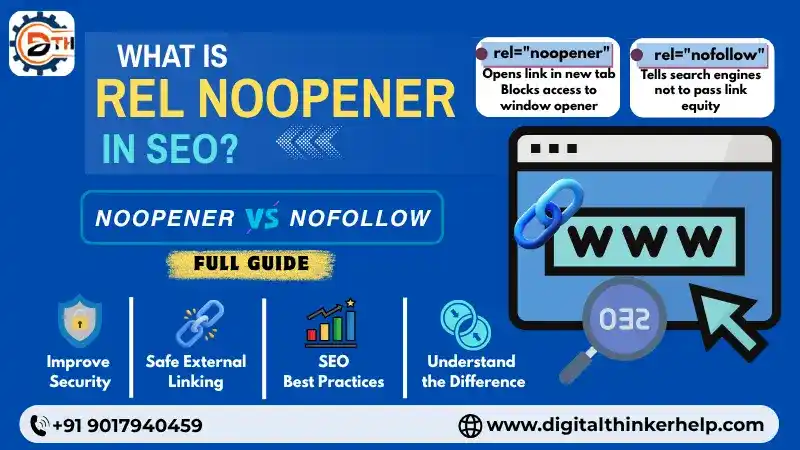
If you have a website, a blog or a website for your business you need to know about noopener because it is important for keeping your website safe and for Search Engine Optimization.
In this article we will tell you what noopener is, how it works, why it is important, for Search Engine Optimization and how to use it the way.
What is Rel Noopener Tag?
Noopener is an HTML attribute. It helps to prevent a window from controlling the old window. We can add the noopener assign to a different tag like the anchor tag <a>, area <area> or the form <form> tags.
Toconfirm that noopener is working properly. It tells the browser to open the link in a window or tab. The HTML tag and target=”_blank” attribute must to be used together.
<a href=”https://digitalthinkerhelp.com” rel=”noopener” target=”_blank”>Your Domain</a>
Also Read: What Google Hummingbird Update in SEO? Guide Step by Step
The noopener attribute keeps helpingto open the window safely. It stops the opened tab or window from changing or messing with the URL or content of the opening window. This makes the website more secure. It also helps prevent actions, like reverse tab nabbing.
Reverse tab nabbing is a type of scam. A site replaces the site you visited with a fake one that looks the same. When you click the button you go to the fake site. Hackers use these sites to steal your banking and personal information.
Why is Noopener Important?
Without the rel=“noopener” attribute a linked website could take control of the tab where you are linking from in your browser. It could then redirect you to a website that tries to steal your information or a website that installs bad software.
This attribute on links to websites helps keep visitors safe from a hidden way for hackers to take control. Since it does not affect how search engines find your site you can use it to make your users safer.
In WordPress this attribute has been added automatically to links that open in a window or tab since 2017. However you should add it to all links to websites not just, in WordPress.
Most browsers now automatically make links that open in a tab or window safer like the rel=”noopener” attribute is set but it is still good to include it.
Does Noopener Impact SEO?
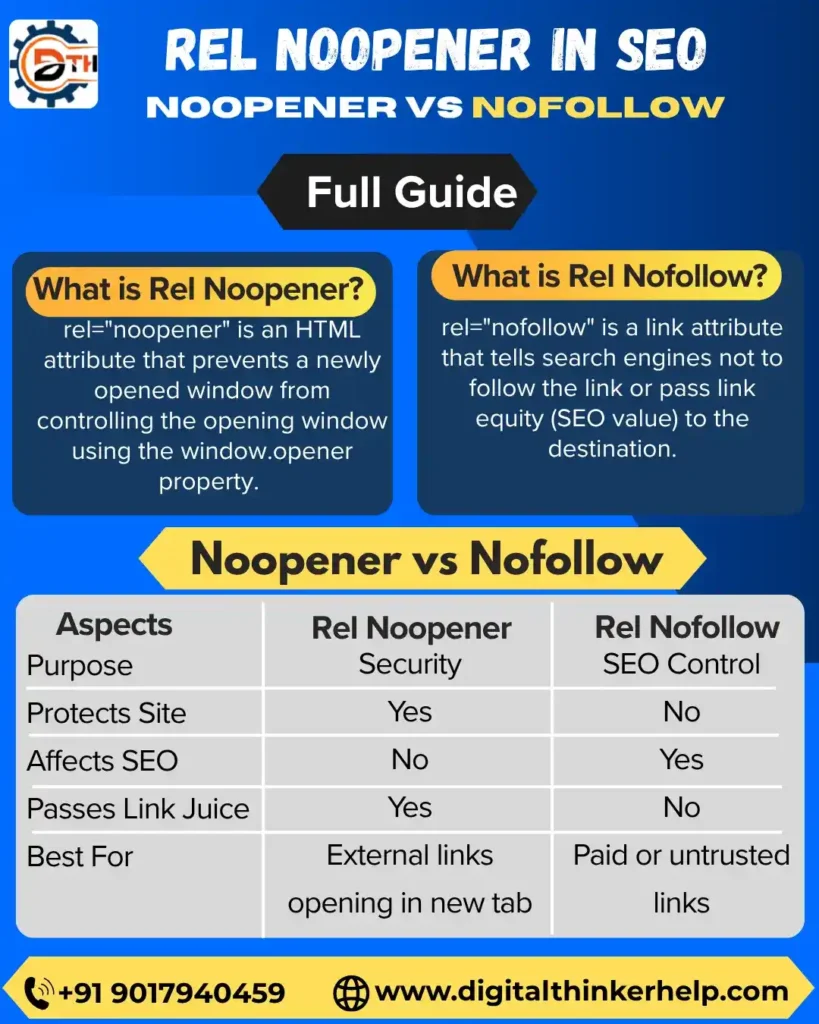
The answer is no. Search engines like Google do not use noopener to decide how to rank websites.
Noopener can still help with SEO in another ways. It makes the website more secure. It makes people happy when they use it which is something that search engines, like Google care about.
Also Read: Google Penguin Algorithm Update in SEO and its Impacts and How to Recover It?
When people feel safe on a website and everything works well they stay longer. Look at more things. This means they click on links stay on the site for a longer time and look at more pages. Search engines like Google think these things are important when they rank websites.
Difference Between Noopener and Nofollow
Many people starting out get confused between noopener and nofollow. They are actually used for things.
| Attribute | Purpose |
| Noopener | It helps with security for external links |
| Nofollow | tells search engines handle links authority |
Example:
<a href=”https://digitalthinkerhelp.com” target=”_blank” rel=”noopener nofollow”>
Here:
Noopener keeps the things secure.
Nofollow do effects on the equity of SEO link.
You can use both attributes at the time.
Noopener vs Noreferrer
Another attribute that people often use is noreferrer.
Main Differece:
| Attribute | Function |
| Noopener | Blocks access to the original tab |
| Noreferrer | Hides referral information and also blocks opener access |
If you use:
rel=”noreferrer”
Also Read: Google Core Update March 2026: Rollout, Affects & Recover
it usually includes noopener behaviour automatically in browsers.
SEO Situations Where Noopener Is Used
1. Guest Posts
When write guest articles make sure to link to resources.
2. Affiliate Marketing
Affiliate links usually open in a tab so I add noopener for safety.
3. Blog References
For citation ofexternal research source can use noopener.
4. Social Media Links
Link to social profiles and they often open in a separate tab.
Is Noopener Good for User Experience?
Yes! When you use noopener correctly your website visitors are less likely to face security problems.
Using noopener properly has benefits, including:
Safer browsing for users
People trust your website more
There is less risk of malicious redirects happening
A good user experience also helps with SEO performance indirectly.
Common Beginner Mistakes
1. Confusing Noopener with Nofollow
Noopener is for security and Nofollow affects SEO behavior.
2. Ignoring External Link Security
Some people focus much on getting high rankings and forget the security.
Also Read: Google Spam Update Releases March 2026: Winners, Losers and Recovery
3. Overusing Target Blank
Opening too many links in a new tab can make confuse or lost.
FAQs (Frequently Asked Questions)
Final Notes
Noopener is a HTML attribute but it helps keep websites safe and improves technical SEO. When you open links in new tabs noopener prevents security risks and makes browsing safer for users.
Using noopener correctly has some benefits. It helps with:
Better protection for your website
More trust, from users
Stronger technical optimization
Also Read: Google Panda Algorithm and its Impacts | How to Recover It
For bloggers SEO experts, developers and website owners using noopener the way is a smart move. It shows you care about your website’s security and technical optimization. Noopener helps with website protection. Website protection is important.